
If you spend enough time staring at the charts, you inevitably start to see the matrix.
You start noticing specific confluences: When the RSI diverges on the 4-hour, and price taps this specific moving average while volume drops, there is a high-probability setup. The problem? Standard indicators rarely capture these highly specific, multi-variable ideas. To actually visualize your specific edge, you traditionally had to build a custom indicator. And for years, that meant hitting a massive brick wall: learning how to code in Pine Script (TradingView’s proprietary language).
If you are already juggling a day job and dedicating your remaining cognitive bandwidth to analyzing the markets, taking a six-month detour to learn syntax and variable declarations just isn’t viable.
But the landscape has shifted. We have entered an era where plain English is a programming language.
Welcome to the first installment of our series on AI and Trading. Over the next few weeks, we are going to explore how artificial intelligence is leveling the playing field for retail traders. Today, we start with the most immediate, high-impact use case: leveraging AI to forge your own custom chart tools.
Bridging the Gap Between Idea and Execution
I am not a software developer. But my TradingView charts are currently running custom, proprietary indicators that I designed from the ground up.
Using Large Language Models (like ChatGPT, Grok, or Gemini), you can now translate your trading logic directly into functioning code. The AI acts as your personal junior developer. You supply the trading logic; it handles the syntax.
It is, frankly, a fantastic unlock for anyone who knows how to trade but doesn’t know how to program.
How to Forge Your Own Indicators
You don’t need a computer science degree to do this, but you do need to understand how to communicate your ideas clearly. Here is the basic workflow for getting an AI to build your tools:
1. Define the Logic in Plain English Before you even open an AI prompt, write down your exact conditions. Be ruthlessly specific.
- Bad: “Make an indicator that tells me when to buy the dip.”
- Good: “Write a TradingView Pine Script (version 5) that plots a green arrow below the candle when the 14-period RSI drops below 30 AND the closing price is below the lower Bollinger Band.”
2. The First Pass & The Pine Editor Feed your prompt to the AI. Tell it specifically to write a TradingView indicator based on your idea. Be very rigorous in your explanation. It will spit out a block of code. Open TradingView, click on the “Pine Editor” tab at the bottom, delete whatever is there, paste your new code, and hit “Add to Chart.”
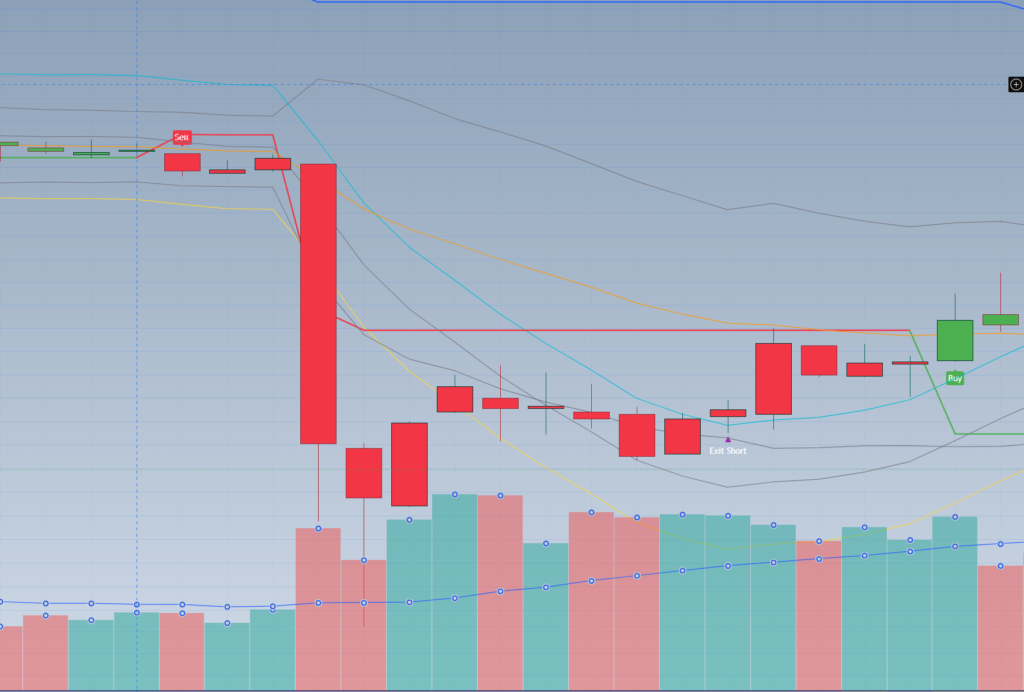
3. The Iteration Loop (Where the Magic Happens) Here is the reality check: The AI rarely gets it 100% perfect on the first try. It might throw a compilation error, or the indicator might not look exactly how you envisioned. For some reason it will usually give you Pine Script version 5 instead of 6. Which doesn’t really matter much, but if you have an error in your code TradingView will flag this as another.
Do not get frustrated. This is part of the process.
Simply copy the error message from TradingView (or describe what looks wrong on the chart) and paste it back to the AI. Tell it: “I got this error,” or “The arrows are printing on the wrong side of the candle, please fix it.” The AI will rewrite the code. You are essentially debugging through conversation.
Now- here is a strange issue I have had, which is getting less common as the models get better: The AI I use keeps throwing errors. For some reason the code just won’t work. If it takes more than 3 attempts to get your code to compile in TradingView – switch AIs. Try Grok instead of Gemini, Gemini instead of ChatGPT. Switch models – maybe you need to use “extended thinking” or “Pro” instead of the standard model. But really, this process shouldn’t take a long time.
4. Automating the Tap on the Shoulder (Adding Alerts) Getting the indicator looking right on the screen is great, but staring at charts all day waiting for a setup defeats the purpose of automation. You need the system to tap you on the shoulder.
If your new code doesn’t have an alert function built-in, just take it back to your AI. Say, “Update this Pine Script to include an alert condition whenever the buy criteria are met.” Boom. You get fresh code, and now your custom indicator can ping your phone exactly when you need to look at the screen. (If you want to dive deeper into how I structure my notification flows, check out my breakdown of [The Sentinel System]).
5. The Ultimate Evolution: Strategies and Backtesting Once you get comfortable building custom indicators, a massive new door opens. If your trading edge is entirely rule-based—meaning there is no “gut feeling” involved, just pure objective data—you can instruct the AI to code your logic as a TradingView Strategy rather than just an Indicator.
Why does this matter? Because coding it as a Strategy unlocks TradingView’s Strategy Tester. You can instantly backtest your specific edge across years of historical data to see if it actually has positive expectancy before you risk a single dollar. And what you will often find is you can refine your edge by this process. Maybe your model only works when RSI is really oversold or overbought – the standard 30-70 parameters just don’t work, but boy 10-90 really does! That is the advantage of a strategy – finding the improvements that sharpen the edge.
We will be dedicating a future post entirely to the art of using AI to backtest and optimize these strategies.
Taking Control of Your Screen
Trading is ultimately about defining and executing an edge. If your edge requires a unique visualization, you no longer have to rely on generic tools or pay a freelance developer thousands of dollars to build it for you.
You have the power to customize your digital environment to exactly match your neural framework.
Stay focused. We’ll see you on the digital frontier.

